Mastering Construction Industry Web Design: Essential Strategies for 2026
Building a strong online presence is super important for construction companies these days. Think of your website as your virtual storefront, open 24/7. It’s where potential clients first get to know you, see your work, and decide if you’re the right fit. In this guide, we’ll walk through how to make your construction industry web design work for you, covering everything from looking good online to getting found by the right people. We’ll help you build a site that not only shows off your projects but also brings in new business. Let’s get started on making your website your best employee.
Key Takeaways
- Your website is your company’s digital front door; make it welcoming and informative.
- High-quality photos and videos are a must for showing off your construction projects effectively.
- Getting found online means using the right keywords and focusing on local search.
- Make it easy for people to contact you and clearly tell them what to do next.
- Keep your website up-to-date and secure to maintain trust and performance.
Building Your Digital Foundation: The Cornerstone of Construction Industry Web Design
Alright, let’s talk about your website. If your construction company were a building, your website would be the foundation. You wouldn’t build a skyscraper on shaky ground, right? The same goes for your online presence. In 2026, your website isn’t just a digital brochure; it’s your hardest-working employee, on call 24/7, ready to impress potential clients, showcase your work, and even snag you new projects. We need to make sure this employee is top-notch, reliable, and always looking its best.
Why Your Website Is Your Hardest Working Employee
Think about it. When a potential client needs a new roof, a custom home, or a commercial build, what’s the first thing they do? They Google it. They’re not flipping through a phone book (does anyone even have those anymore?). They’re looking for someone they can trust, someone who knows what they’re doing, and someone who makes it easy to get in touch. Your website is that first impression. It’s where they’ll check out your past projects, see if you’re legit, and decide if you’re the right fit. If your site is clunky, outdated, or just plain hard to use, they’ll click away faster than you can say "change order." A well-designed website works tirelessly to attract and inform potential clients, acting as your virtual salesperson and project manager all rolled into one. It’s there day and night, weekends and holidays, ready to answer questions and guide visitors toward becoming a lead. It’s a powerful tool for lead generation, especially when paired with smart strategies like SEO in 2026.
The Blueprint for a User-Friendly Construction Site
So, what makes a construction website user-friendly? It’s all about making things simple and intuitive. People visiting your site are likely busy, maybe even stressed about their project. They don’t want to play detective to find your contact info or figure out what services you offer. We need to lay out the information clearly, like a well-organized blueprint.
Here’s what we’re talking about:
- Clear Navigation: Menus should be straightforward. Think "Services," "Projects," "About Us," "Contact." No fancy, confusing labels. People should be able to find what they need in two clicks or less.
- Easy-to-Find Contact Information: Your phone number and email should be visible on every page, ideally in the header or footer. A dedicated contact page with a simple form is also a must.
- Service Clarity: Clearly list and describe the services you provide. Use simple language, not industry jargon. If you do custom homes, say "Custom Home Building," not "Bespoke Residential Architectural Solutions."
- Project Showcase: Make it easy for visitors to see your past work. This is where they’ll judge your quality. We’ll get into the nitty-gritty of visuals later, but the gallery itself needs to be easy to browse.
- Fast Loading Times: Nobody waits around for a slow website. If your pages take too long to load, people will leave. This is where good hosting and optimized images come into play.
Imagine a potential client looking for a contractor to build their dream home. They land on your site. They can immediately see your phone number, find a gallery of beautiful homes you’ve built, and read about your custom home building process. They fill out your contact form without breaking a sweat. That’s a win. Now, imagine they land on a site where they have to hunt for the phone number, the project photos are tiny and slow to load, and the service descriptions are confusing. They’re gone. We want to be the first scenario, every time.
We’re building a digital space that works for our clients, not against them. It’s about removing friction and making it as easy as possible for someone to say, "Yes, I want to work with these guys."
Mobile-First: Building for the On-the-Go Crew
Let’s face it, most people are looking at your website on their phones. Whether they’re on a job site, stuck in traffic, or just relaxing on the couch, their phone is usually within reach. This means your website has to look and work perfectly on a small screen. We call this "mobile-first" design. It’s not just a nice-to-have anymore; it’s a requirement.
Why is this so important for us in construction?
- Field Access: Your potential clients (and even your existing ones) might be checking you out while they’re out in the field. They need to see your work, get your contact info, or check your services on the fly.
- Search Engine Ranking: Google and other search engines prioritize mobile-friendly websites. If your site isn’t optimized for mobile, you’ll get pushed down in search results, meaning fewer people will even find you.
- User Experience: A site that’s a pain to use on a phone – tiny text, buttons you can’t tap, pages that don’t fit the screen – will drive people away. They’ll assume if you can’t get your website right, you can’t get their project right either.
Think about a site manager who needs to quickly pull up your company’s portfolio while meeting with a client on-site. If your website is a jumbled mess on his phone, he’s likely to move on to the next contractor. But if it’s clean, easy to navigate, and visually appealing, he’s impressed. This is why we focus on making sure every element, from text size to button placement, is perfect for a mobile device first. It’s about making sure your company looks professional and accessible, no matter where someone is viewing your site from. This focus on accessibility and user experience is a core part of effective lead generation.
FAQs
Q1: How often should I update my construction website?
A1: Think of it like maintaining a building. You need regular check-ups. At a minimum, check for broken links, outdated information, and software updates monthly. Major content updates (like adding new projects) should happen as soon as projects are completed.
Q2: What are the most important pages for a construction company website?
A2: Definitely your Homepage (clear intro), Services page (what you do), Projects/Portfolio (proof of work), About Us (who you are), and Contact Us (how to reach you). Testimonials are also super important!
Q3: Do I really need a blog on my construction website?
A3: Not necessarily a blog in the traditional sense, but having a "News" or "Insights" section where you can share project updates, industry thoughts, or company news is great for SEO and showing you’re active and knowledgeable.
Q4: How can I make my website look professional without hiring an expensive designer?
A4: Use high-quality photos (even good smartphone pics can work if staged well), choose a clean, modern website template, and stick to a consistent brand color scheme. Keep text clear and error-free.
Q5: What’s the biggest mistake construction companies make with their websites?
A5: Often, it’s not updating it. Old project photos, outdated service lists, or broken links make a company look unprofessional and out of touch. Another big one is making it hard for people to contact them.
Q6: How important is website speed for a construction business?
A6: Extremely important. People are impatient. If your site loads slowly, especially on mobile, they’ll leave. Slow sites also hurt your search engine ranking, meaning fewer potential clients find you.
Q7: Should I use stock photos on my construction website?
A7: Use them sparingly, if at all. Real photos of your actual projects and team are far more convincing and build trust. If you must use stock, choose images that look authentic and relevant to your specific services.
Showcasing Your Masterpieces: Visual Storytelling in Construction Web Design
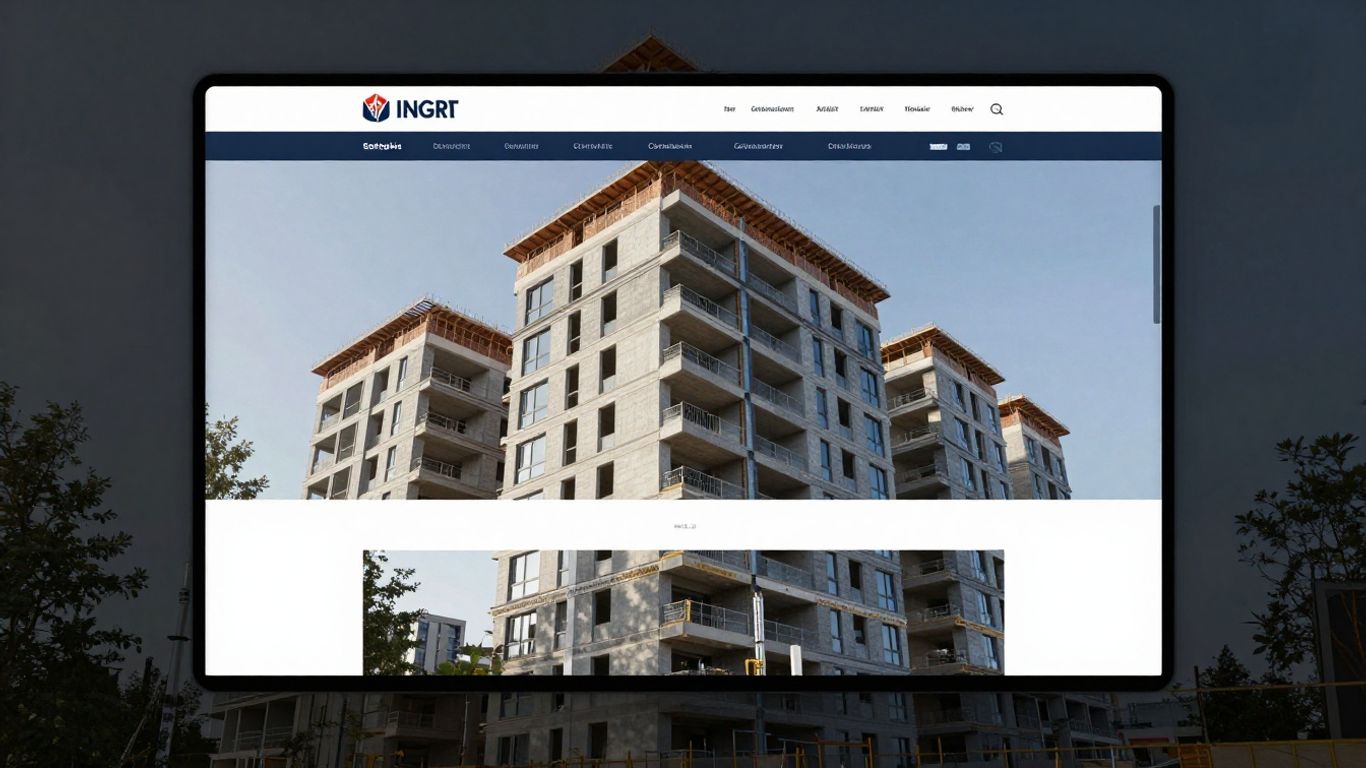
Alright, let’s talk about something that we all secretly love—showing off our best work. In construction, you’re only as good as your last project, and your website is the world’s window to your craft. Visual storytelling helps potential clients imagine themselves working with you… or, better yet, living in or using the buildings you’ve created.
High-Quality Imagery That Doesn’t Cost a Fortune
We get it. Fancy photoshoots are pricey, and hiring a pro to stage every project just isn’t realistic. But skipping photos altogether isn’t an option in 2026. These days, clients expect to see real, clear images of your work—as in, not blurry phone snapshots from the back of a pickup in the rain. Thankfully, there are ways to make things look great without spending a boatload:
- Use a newer smartphone. Current models do most of the work for you—auto HDR, decent low-light shots, and easy stabilization.
- Clean the area before snapping photos. A broom and ten extra minutes can make the difference between “Wow, professionals!” and “Is this an abandoned job site?”
- Take pictures during the golden hour (just after sunrise or before sunset) for softer, nicer light.
- Use free editing apps like Snapseed or Lightroom Mobile to crop and adjust your photos, making them look sharper and more inviting.
| Quick Photo Tips | Result |
|---|---|
| Golden hour shooting | Warmer, richer pictures |
| Clean job sites | Professional impression |
| Slight editing | Pop without looking fake |
Strong, clear images are like a silent sales pitch—they convince visitors you pay attention to detail, right from the start.
Video Tours: Letting Your Projects Speak for Themselves
We all know videos are everywhere right now, and for good reason. A quick walkthrough with your phone, talking about the project, pointing out special features, and maybe joking about the battle with the rain last November—it’s authentic, and authenticity sells. Here’s what we’ve found works really well:
- Keep tours under three minutes—any longer and people bail unless there’s a bulldozer doing something outrageous.
- Add a voiceover (even just your own voice) explaining what’s interesting about the build. Give a fun fact or mention quirky project details.
- Don’t stress about Hollywood-quality. A bit of personality matters more. Folks want to see an actual person behind the company.
- Add captions for accessibility (and for those who watch videos on mute at work—not that we’ve ever done that…)
Trust us, no one remembers perfect audio, but they will remember those exposed timber beams or the custom welded staircase you put your heart into. Video is about storytelling, not showing off editing magic.
Interactive Project Galleries: More Than Just Pretty Pictures
The project gallery isn’t just for show; it’s where visitors get drawn into your world. Remember, people LOVE clicking around.
- Use a gallery with filters (like "kitchens," "renovations," "commercial") so folks can browse what interests them.
- Add short, plain-English captions. Explain problems you solved, not just "Kitchen project, Orlando." Try “Gutted the old space, kept the original beams, finished ahead of schedule—despite the tile shipment saga.”
- Include before and after sliders. People go nuts for these!
- Link your gallery items to service pages—if someone falls in love with a steel-framed porch, let them click right into your porch building service.
This isn’t just about eye candy. Interactive galleries keep people on your site longer, which can help with SEO and with convincing clients you’re worth a call. And if you want to go the extra step, following ideas like showcasing high-quality photos and videos can also give your local Google listing a boost!
FAQs: Visual Storytelling in Construction Web Design
1. Can I really use my phone for professional project photos?
Yes, as long as your phone is fairly new and you use good lighting. Avoid dark or cluttered shots. Edit lightly so things look clear but not over-tuned.
2. How many pictures should I put on a gallery page?
Aim for 8-15 in your main showcase, but let visitors dig deeper if they want. More isn’t always better if they’re all from the same angle!
3. Are there affordable software options to make before/after sliders?
Definitely. There are free WordPress plugins and simple website builders with these features now. No need to hire a coder.
4. Do videos have to be super polished to help my business?
Nope. Keep it simple, relatable, and honest. Share the actual story and your process. Bloopers even make you more memorable and real.
5. Will better photos help my Google ranking?
Absolutely. Adding recent, engaging photos and videos to your Google Business profile, and embedding them on your site, boosts credibility and search potential—"Web Maintenance US in Orlando, FL on Google Maps" does this, and it works.
6. Should I hire a photographer if my phone shots aren’t great?
If budget allows and you want a batch of showstoppers, sure! But for regular updates, get good at phone shots and keep things current yourself.
7. What’s the best way to organize project galleries?
Sort by type, location, or client need. Make it easy to skim and find what matters—nobody wants to scroll endlessly through random thumbnails.
8. Are drone photos worth it for construction websites?
If you’ve got large-scale or outdoor projects, drone shots can make you stand out. Just check local laws before flying over your neighbor’s lawn.
9. Do I need permission to post client projects online?
Yes. Always ask clients before featuring their space online, even if it looks amazing.
10. How do captions help with storytelling?
Captions give context—describe what’s special about the project, what challenges you tackled, or a quirky fact about the build. It helps make those images stick in the viewer’s mind.
So, let’s show off the real work we do—photos, videos, and great stories. That’s how we make our online visitors want to be our next project!
Getting Found in the Digital Scaffolding: SEO for Construction Companies
Alright, let’s talk about getting your construction business noticed online. You’ve built amazing things, but if nobody can find you on Google, it’s like having a secret handshake that no one knows. We need to make sure potential clients can find you when they’re looking for someone to build their dream home, office, or whatever it is you do. This isn’t about magic; it’s about smart work, and we call it Search Engine Optimization, or SEO for short. Think of it as making your website the most attractive building on the block, the one everyone points to.
Keywords That Actually Get Clicks (Not Just Dust)
So, what are keywords? They’re the words and phrases people type into search engines like Google. If you’re a custom home builder in Denver, you don’t want to rank for "best pizza" – unless you also happen to make amazing pizzas, which is a whole other business. You want to rank for things like "custom home builder Denver," "new home construction Colorado," or "remodel contractor near me." Finding these is step one. We can use tools, or just think like a customer. What would you type into Google if you needed a new deck or a commercial building renovated? Getting these right is the first step to attracting the right kind of attention.
Here’s a quick way to brainstorm:
- Think about your services: What do you actually do? (e.g., "kitchen remodeling," "foundation repair," "new commercial builds")
- Think about your location: Where do you work? (e.g., "Austin TX," "North Texas," "DFW area")
- Combine them: "kitchen remodeling Austin," "foundation repair North Texas," "commercial construction DFW"
- Consider problems you solve: "fix leaky basement," "add second story," "build warehouse"
Don’t just stuff these words everywhere, though. Google is smart. You need to use them naturally in your website’s text, page titles, and descriptions. It’s about making your site helpful and relevant to what people are searching for. We want to make sure your website is technically sound for optimal performance, which is a big part of generating leads in 2026.
Local SEO: Connecting with Clients in Your Backyard
For most construction companies, your customers are nearby. You’re not usually building skyscrapers in Antarctica (though if you are, let us know!). This is where Local SEO comes in. It’s all about making sure people in your specific service area can find you. Think of it like putting up flyers in the local community center, but online.
- Google Business Profile: This is HUGE. Claim and optimize your free Google Business Profile. Fill out every section: your services, hours, photos, and encourage reviews. This is what shows up in the "Local Pack" results on Google Maps.
- Local Citations: These are mentions of your business name, address, and phone number (NAP) on other websites, like online directories (Yelp, Angie’s List, etc.). Consistency is key here. Make sure your NAP is identical everywhere.
- Location-Specific Pages: If you serve multiple towns or counties, create dedicated pages on your website for each. For example, a page for "Roofing Services in Plano" and another for "Roofing Services in Frisco."
This helps Google understand where you operate and show your business to people searching in those areas. It’s like planting your flag in the digital soil of your community.
Content That Builds Authority and Trust
Okay, so you’ve got your keywords and you’re showing up locally. Now, how do you convince people you’re the right choice? Content. We’re talking about blog posts, case studies, project descriptions, and even the "About Us" page. This is where you show off your knowledge and build trust.
- Blog Posts: Write about common problems homeowners face, tips for planning a renovation, or the benefits of using certain materials. For example, a post titled "5 Signs You Need a New Roof Before Winter Hits" can attract homeowners worried about their current roof.
- Case Studies: Detail successful projects. Show before-and-after photos, explain the challenges you overcame, and highlight the client’s satisfaction. This is powerful social proof.
- Project Pages: Don’t just list projects; describe them. Talk about the scope, the materials used, and the unique aspects of each build. High-quality photos and videos here are a must.
The goal is to become the go-to resource for information related to your services. When potential clients see you as an expert, they’re much more likely to choose you over a competitor who just lists their services.
Think about it: if you’re looking for a contractor, would you rather hire the company that just says "We build houses" or the one that has detailed articles about energy-efficient building practices, a gallery of stunning homes they’ve built, and testimonials from happy clients? It’s a no-brainer. Building this kind of content takes time, but it pays off by attracting clients who are serious about quality and value. It’s about making sure your digital presence is as solid and reliable as the structures you build. A strong team comprises diverse skills, not just individuals, and that applies to your online presence too, much like finding the right marketing company.
FAQs
Q1: How often should I update my website for SEO?
A1: Aim for fresh content regularly, like a blog post or new project update at least once a month. For technical SEO and security, updates should happen as needed, often quarterly or when major platform updates are released.
Q2: Do I really need a blog for my construction company?
A2: Yes! A blog is a fantastic way to share your knowledge, attract local customers with relevant topics, and improve your search engine rankings. It shows you’re an active, informed business.
Q3: What’s the difference between SEO and Local SEO?
A3: SEO is about getting found online generally, while Local SEO specifically targets customers in your geographic area, often through Google Maps and local directories.
Q4: How long does it take to see results from SEO?
A4: SEO is a marathon, not a sprint. You might see some initial improvements in a few months, but significant, lasting results often take 6-12 months or more.
Q5: Can I do SEO myself, or should I hire someone?
A5: You can definitely learn and do a lot yourself, especially with Local SEO basics. However, for more advanced strategies and to save time, hiring a professional or agency can be very effective.
From Lead to Loyal Client: Conversion Strategies for Construction Websites
Clear Calls to Action: No Ambiguity Allowed
Alright, let’s talk about getting people to actually do something when they land on your construction website. It’s not enough to just look pretty, right? We need action! Think of your website like a well-built house. You wouldn’t just leave the front door wide open with no sign saying ‘Welcome’ or ‘Come on in,’ would you? Same goes for your digital space. We need to guide visitors, tell them exactly what we want them to do next. This is where clear calls to action, or CTAs, come in. They’re like the friendly but firm handshake that says, ‘Hey, we’re glad you’re here, and this is how we can help you.’
So, what makes a good CTA? First off, it needs to be obvious. Nobody wants to go on a scavenger hunt to figure out how to get a quote or contact you. Use action-oriented words. Instead of ‘More Info,’ try ‘Get Your Free Estimate’ or ‘Schedule a Consultation.’ Make it specific to what you do. If you’re a custom home builder, ‘Design Your Dream Home’ might be a winner. If you specialize in commercial renovations, ‘Request a Project Bid’ makes more sense.
Placement is also key. Don’t hide your CTAs in some obscure corner. Put them where people are likely to see them – right after you’ve explained a service, at the end of a project case study, or prominently on your homepage. Think about using contrasting colors for your CTA buttons so they pop. We want them to stand out, not blend in like a beige wall.
Here’s a little breakdown of what works:
- Action Verbs: Start with words like ‘Get,’ ‘Request,’ ‘Download,’ ‘Call,’ ‘Schedule,’ ‘Learn,’ ‘View.’
- Benefit-Oriented Language: Tell them why they should click. ‘Get Your Free Quote Today’ is better than just ‘Quote.’
- Urgency (Use Sparingly): Sometimes, adding a touch of urgency can help, like ‘Limited Spots Available for Spring Projects.’ But don’t overdo it; it can feel pushy.
- Visual Prominence: Use buttons, not just text links. Make them large enough to tap easily on a phone.
Imagine a potential client looking at your portfolio of stunning kitchen remodels. They’re impressed. What’s the next logical step? You want them to think, ‘I want that!’ So, your CTA should be right there: ‘Start Your Kitchen Remodel Today’ or ‘See Our Kitchen Design Packages.’ It’s about making that connection between their desire and your ability to fulfill it, as simple as that.
Streamlining the Contact Process: Make It Easy!
Okay, so we’ve got them interested with a killer CTA. Now, we need to make it ridiculously easy for them to reach out. If contacting you feels like trying to assemble IKEA furniture without instructions, they’re going to bounce faster than a dropped hammer. We want the opposite: a smooth, almost effortless transition from ‘interested visitor’ to ‘potential client.’
Think about your contact forms. Are they shorter than a contractor’s lunch break? Or are they longer than a building permit application? We need a sweet spot. Ask for the essentials: name, email, phone number, and a brief message about their project. Do we really need their mother’s maiden name and their favorite color? Probably not. Every extra field is a potential roadblock. Keep your forms concise and focused on gathering the information you need to start a conversation.
Beyond the form, offer multiple ways to connect. Some people prefer a quick phone call, others like to type out an email, and some might even prefer a live chat if you have the resources. Make sure your phone number is clickable on mobile devices – that’s a no-brainer. If you offer a live chat, make sure it’s staffed during business hours or at least has a clear way to leave a message.
Here’s a quick checklist for a frictionless contact experience:
- Prominent Contact Information: Your phone number and email should be easy to find, ideally in the header and footer of every page.
- Simple Contact Form: Only ask for necessary information. Test it yourself to see how long it takes.
- Click-to-Call/Email: Ensure these links work correctly on all devices.
- Clear Expectations: Let people know when they can expect a response. ‘We’ll get back to you within 24 business hours’ is much better than silence.
- Location, Location, Location: If you serve specific areas, make that clear. For example, if you’re looking for reliable Web Maintenance US in Kissimmee, FL on Google Maps, your site should make it obvious you serve that region. Similarly, if you’re the go-to for Web Maintenance US in Garland, TX on Google Maps, shout it from the digital rooftops!
Consider this scenario: A homeowner is browsing at 10 PM, after the kids are in bed, and they’ve just realized their deck is looking a bit sad. They find your site, love your past work, and see a ‘Request a Deck Repair Quote’ button. They click it, fill out a super-short form in under a minute, and hit submit. They get an automated email saying, ‘Thanks! We’ll call you tomorrow morning.’ That’s a win. They feel heard, and you’ve got a warm lead without having to chase them down.
Making it easy to contact you isn’t just good customer service; it’s smart business. Every barrier you remove is another step closer to a signed contract.
Testimonials That Build Credibility (and Get You Hired)
Let’s be honest, we all check reviews before we buy something or hire someone, right? It’s the same for construction. People want to know that you’re not just saying you’re good; they want proof. They want to hear from actual people you’ve worked with, people who had the same problems they’re having now.
Testimonials are your digital word-of-mouth. They’re the digital equivalent of your neighbor saying, ‘Yeah, those guys did a fantastic job on my addition!’ But instead of just one neighbor, you can have dozens, even hundreds, singing your praises. This social proof is incredibly powerful. It builds trust and credibility faster than any marketing slogan ever could.
So, how do we get testimonials that actually work? First, ask! Don’t be shy. After you’ve completed a project and the client is happy – really happy – ask them if they’d be willing to share their experience. Make it easy for them. Offer to write up a draft based on their feedback, or provide a link to your Google Business Profile or a dedicated testimonial page.
What makes a testimonial shine?
- Specificity: Vague praise like ‘They were great!’ is okay, but ‘They transformed our outdated kitchen into a modern, functional space we love spending time in’ is much better. Specifics paint a picture.
- Problem/Solution: Did you solve a big headache for them? Highlight that. ‘We were worried about the budget, but they came in on time and under cost.’
- Results: What was the outcome? ‘Our new patio has become the go-to spot for family gatherings.’
- The Person: Including the client’s name and, if possible, a photo (with their permission, of course!) makes it feel more real and relatable. A first name and last initial, or even just a first name and their town, can add a touch of authenticity.
Don’t just stick these on a dusty old page. Sprinkle them throughout your website! Put a great quote from a recent commercial project on your commercial services page. Feature a happy homeowner’s testimonial on your residential remodeling page. Use them on landing pages for specific services.
Consider a table like this to organize and showcase your best ones:
| Client Name | Project Type | Key Benefit Highlighted | Quote Snippet |
|---|---|---|---|
| Sarah K. | Kitchen Remodel | Design & Functionality | "Our new kitchen is a dream! They listened to everything we wanted and delivered." |
| Mark & Lisa P. | New Home Build | On-Time & Budget | "We were amazed at how smoothly the build went. Truly professional." |
| Apex Corp. | Office Renovation | Minimal Disruption | "They completed the renovation with almost no downtime for our business." |
And remember, video testimonials? Gold! If a client is willing to record a short video talking about their positive experience, that’s incredibly powerful. It adds a human element that text alone can’t quite capture.
Ultimately, testimonials are about building confidence. They tell potential clients, ‘Hey, these people are legit. They do good work, they’re reliable, and you won’t regret hiring them.’ And in our line of work, that’s exactly what people are looking for.
FAQs
Q1: How many testimonials should I aim to have on my website?
A1: It’s not about quantity as much as quality and relevance. Aim for a good selection that covers your different services and project types. Having 5-10 strong, detailed testimonials spread across relevant pages is often more effective than 50 generic ones.
Q2: What if a client gives a slightly negative testimonial?
A2: If it’s constructive criticism that you’ve already addressed, you might consider using a carefully edited version that focuses on the positive outcome. However, if it’s truly negative, it’s usually best to leave it off your site. Focus on showcasing the positive experiences.
Q3: Should I always ask for permission before using a testimonial?
A3: Absolutely, yes! Always get explicit permission, especially if you plan to use their full name, photo, or video. It’s respectful and avoids potential issues.
Q4: How often should I update my testimonials?
A4: Regularly! Aim to add new testimonials as you get them, especially after completing significant projects. This keeps your site fresh and shows you’re actively working and getting great feedback.
Q5: Can I use testimonials from third-party sites like Google or Yelp?
A5: You can, but it’s best to get permission from the client first. You can also embed reviews from platforms like Google Business Profile, which adds authenticity. Just make sure you’re following the terms of service for those platforms.
Q6: What’s the difference between a testimonial and a case study?
A6: A testimonial is typically a shorter, client-focused quote or statement about their positive experience. A case study is a more in-depth look at a specific project, detailing the challenge, your solution, and the results, often including client feedback within it.
Keeping Your Digital Site Shipshape: Maintenance and Updates
You wouldn’t leave your company truck unserviced or your tools lying out in the rain, right? Well, your construction website deserves that same level of care. A website isn’t a one-and-done project – it’s always under construction (pun intended). To keep your online presence strong, you’ve got to keep things tidy, fast, and secure. Let’s roll up our sleeves and break down how to keep your digital site in tip-top shape.
Why Website Maintenance Isn’t Just for Show
Think about this for a sec: the best-looking building means nothing if the plumbing’s busted and the doors are locked. Same goes for your website. If it looks great but loads slowly, spits out errors, or breaks on mobile, people won’t stick around. Regular checkups are what keep everything humming along.
Here’s what ongoing maintenance actually means:
- Regularly checking for broken links or outdated info.
- Making sure contact forms actually send mail (because missed leads = no new jobs).
- Updating service lists, staff pages, and testimonials so clients get an accurate picture.
- Fixing bugs as they pop up, not months later.
Our digital reputation sticks with us even more than dusty work boots. If visitors run into issues, they remember — and might not come back.
Typical Site Issues and Their Impact
| Issue | Result | How Often to Check |
|---|---|---|
| Broken links | Frustrates users, hurts SEO | Monthly |
| Outdated content | Misinforms, turns away leads | Quarterly |
| Slow load times | High bounce rates, lost leads | Monthly |
| Inactive forms | Missed inquiries, low leads | Weekly |
Security Updates: Protecting Your Digital Assets
If you think hackers only go after big tech companies, think again. Small business websites are actually their favorite targets, since so many skip the basics.
Here’s our short and sweet security punch list:
- Always keep your themes, plugins, and CMS (like WordPress) up to date. Even a tiny outdated plugin can open a door wide for intruders.
- Set up strong passwords – none of this "password123" nonsense.
- Use SSL certificates. You know that little padlock in the browser? No padlock, no trust.
- Back up your site regularly. Daily or weekly, depending on how often you update.
A lot of companies, like those focused on web design and ongoing support, can take care of this if you don’t have the time (or patience) for fiddling around in dashboards.
Performance Optimization: Speeding Up Your Site
You ever get stuck behind a concrete truck on a one-lane road? Painful, right? That’s exactly how your visitors feel if your website takes ages to load. Speed really does matter — Google says so, and your bottom line will reflect it too.
A few simple tricks we swear by:
- Compress images before uploading, or use a plugin that does it for you.
- Use caching so returning visitors don’t have to reload the whole site from scratch.
- Test your site’s speed on both mobile and desktop (those scores can be worlds apart).
- Minimize crazy animations, heavy sliders, or fancy scripts unless you truly need them.
We’ve seen one-site go from three leads a week to twelve just from speed boosts and a quick content refresh.
If you’re not sure how your site stacks up, a smart move is to get a "digital tune-up" from a website overhaul expert. These folks specialize in making sites quicker, smoother, and ready to win more business.
FAQ: Common Questions We Get About Site Maintenance
- How often should we update our site?
- At least once a quarter for content, monthly for tech stuff, weekly for backups.
- Is a maintenance plan worth the money?
- If you don’t have a techy on staff or time to do this stuff yourself, absolutely.
- What happens if we ignore updates?
- You risk getting hacked, losing leads, and dropping off Google’s radar.
- Do security certificates (SSL) really matter?
- Yes! Besides trust, Google gives your site brownie points for having them.
- Who should fix broken links?
- Whoever manages your web content. If that’s not you, your web designer or maintenance provider.
- Can we speed up our site without a full redesign?
- Absolutely. Simple tweaks, like optimizing images and plugins, can make a huge difference.
- How do we know if our forms are working?
- Test them yourself every so often, or use automated alerts built into your website tools.
- Why does our website suddenly load slowly?
- Could be big image files, a bloated plugin, or even just too many visitors at once (good problem to have!).
- What’s the best way to back up our website?
- Use an automated tool tied to your site’s platform, store backups off-site, and do it often.
- Do we really need to care about mobile performance?
- 100%. Most folks check building companies out on their phones first, not a desktop.
Let’s be honest — keeping up with digital maintenance isn’t glamorous, and it’s rarely what any of us signed up for. But just like hauling bricks, it has to get done. When we put in the work to keep our website quick, safe, and up-to-date, we see real results: more calls, more leads, and a heck of a lot fewer "site down" panic attacks. And let’s face it, if we can handle the chaos of a muddy job site, a little digital housekeeping is totally doable.
The Future of Construction Industry Web Design: What’s Next on the Horizon?
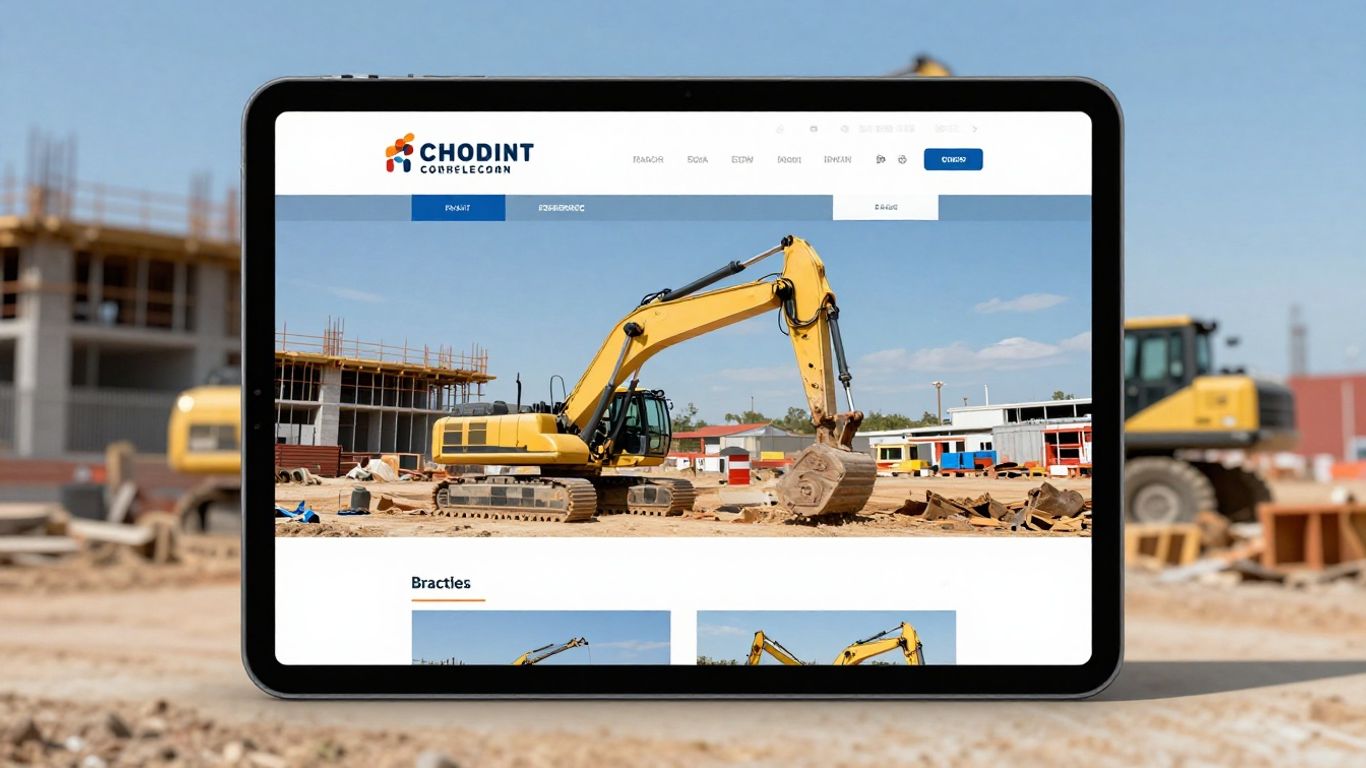
Web design for construction companies has come a long way—hard hats and blueprints aren’t the only essentials now. As we look at 2026 (can you believe we’re already here?), our online space matters more than ever. It’s like building a skyscraper, except instead of steel, we’re stacking pixels and code. Let’s talk about what’s just over the horizon for our websites and why we can’t afford to ignore these changes.
AI and Chatbots: Your 24/7 Digital Assistant
We all know the struggle of juggling inquiries and site visits, especially when you’re trying to keep projects on track. Enter AI and chatbots. These helpers don’t sleep, don’t need a lunch break, and never complain about too many pop-ups. They handle the flood of basic questions—anything from quote requests to office hours—so we can focus on building things that don’t require a power outlet.
- Response times get much faster. No more lost leads because you replied two days late.
- Chatbots can filter out tire-kickers and bubble up real prospects to your sales team.
- Custom project quizzes or interactive guides mean potential clients get a tailored welcome, not just a generic message.
Having a chatbot is like finally hiring that perfect front desk person you never thought you could afford. The right one will keep your site humming, freeing you up for everything else.
Want tips about finding customers and seeing how folks interact with your site? You might want to understand where your future clients spend their time online.
Virtual and Augmented Reality: Immersive Project Previews
Showing clients a flat blueprint just doesn’t cut it anymore. People want to walk through their new kitchen or feel the office atrium before it’s even built. This is where VR and AR crash onto the scene (without breaking any tile).
With these tools, we’re not just promising results—we’re putting clients right into the middle of their future space.
Here’s how it might look for us:
- Pop on a headset, and clients can take a virtual stroll through their new home while still sitting in our office.
- Use their phone’s camera to view a physical space and see real-time changes, like how a skylight or staircase would appear.
- Showcase before-and-after overlays to make the transformation crystal clear—bye-bye, imagination gap!
A quick table of what’s possible:
| Tool | What It Does | Who Uses It |
|---|---|---|
| VR Project Tours | Full immersive walk-through | Architects, Home buyers |
| AR Visualization | Real space overlays | Remodeling clients |
| 360° Video | Guided interactive tours | Prospects, Investors |
Let’s be honest, showing off your work this way makes you look a little like a wizard (even if you still trip over extension cords sometimes).
Sustainability Messaging: Building a Greener Future Online
It might feel like every company slaps a “green” badge somewhere these days, but for us in construction, showing—not just saying—matters. Our websites need to reflect the good work we do making spaces efficient, safe, and kind to the planet.
Consumers and commercial clients care. And regulations aren’t going away—so we’ve got to spell out what makes us leaders, not laggards.
Ways we can tell the story:
- Use data to show energy savings from past projects (did last year’s office cut power bills by 30%? Say so!)
- Share photos and case studies about reclaimed or recycled materials.
- Make it easy to find certifications (LEED, ENERGY STAR) and your partnerships with trusted green brands.
Even a short story about saving dumpster loads of debris or helping a community garden can land better than a thousand buzzwords.
What’s the Takeaway for Our Sites in 2026?
- AI and chatbots are the new front-line team—answering questions, booking meetings, and weeding out the spam.
- VR and AR give clients something to talk about (and post about). It’s an easy way to start standing out from the competition.
- Sustainability isn’t just nice to have; it’s what people expect—so make it easy for folks to see your track record upfront.
Don’t know where to start? Try updating one small thing: add a project walk-through video, pop a chatbot on your homepage, or highlight your greenest win from last year.
FAQ: The Future of Construction Web Design
1. Do I really need a chatbot, or is it just a fad?
You don’t need one to survive—but you’ll probably lose leads to competitors who respond faster. Even a simple bot that forwards messages after hours can help.
2. Is VR/AR expensive to add to my site?
Not as much as you’d think! There are subscription platforms that let you upload 3D models or videos and generate virtual tours—no coding required.
3. How do I highlight my company’s green work?
Dedicate a section on your site to sustainability. Use real numbers, project before/afters, and even quick interviews with your site crew talking about waste reduction.
4. Is mobile design still important with all these new bells and whistles?
Yes! Most prospects start on their phones. VR/AR and chatbots should work on mobile—nothing should require a desktop only.
5. Will I have to hire a developer to keep up?
Not always. Many of these tools are plug-and-play. You can do a lot with easy-to-use platforms—though a friendly local web pro is never a bad backup plan.
6. Isn’t all this technology overwhelming for small crews?
You don’t need to do it all. Pick one tool that matches your biggest headache. Maybe start with a chatbot, see the results, and go from there.
7. Can I use client testimonials to boost my green image?
Definitely. A client talking about energy savings or recycled materials holds more weight than any logo.
8. Do younger clients expect this stuff?
You bet they do. People under 40 grew up with tech. They’ll be impressed if your website feels fresh and easy, and they’ll expect at least some automation.
9. What’s the biggest mistake to avoid?
Launching a fancy feature—like VR—but having your site crash or load so slow nobody sticks around. Test it and keep things speedy!
10. Where should I look for inspiration?
Peek at top firms in your area, or even outside construction—see what grabs your attention as a customer, not just a builder.
The future isn’t about doing everything at once. It’s about picking smart tools that make your business easier to find, easier to trust, and easier to work with. Who would have guessed web design would become such a key part of getting new business, right?
The construction world is changing fast, and how building companies show up online needs to keep pace. Think about websites that are super easy to use and look great on any device. We’re talking about sites that help people find what they need quickly, maybe even showing off cool projects with awesome pictures. It’s all about making a strong first impression that lasts. Want to see how we can build a fantastic online home for your construction business? Visit our website today to explore our services!
So, What’s the Takeaway?
Alright folks, we’ve covered a lot of ground, haven’t we? Building a website for your construction business in 2026 isn’t rocket science, but it does take some thought. Think of it like laying a good foundation for a building – get it right, and everything else stands strong. We’ve talked about making your site look good, work well on phones, and actually get found by people looking for what you do. It’s not about having the fanciest bells and whistles, but about making sure your potential clients can easily find you and see that you’re the real deal. If all this sounds like a bit much, don’t sweat it. That’s where we at Web Maintenance US come in. We help construction companies like yours get their online presence sorted, so you can focus on, you know, building stuff. Give us a shout, and let’s get your website working as hard as you do.
Frequently Asked Questions
Why is having a good website so important for construction companies?
A strong website acts like our best employee—it works all day, every day, showing off our work, sharing our story, and bringing in new clients. In construction, people want to see real results and trust who they hire. A clear, easy-to-use website helps us do just that.
How can we make our construction website easy for visitors to use?
We keep things simple. Big buttons, clear menus, and quick loading times help people find what they need without getting lost. We also make sure our site works well on phones and tablets since many clients check us out while on the go.
What are some budget-friendly ways to show off our projects online?
We don’t need fancy equipment. Good lighting and a decent smartphone can capture great photos. Free tools like Canva help us edit images. We can also use short video tours or interactive galleries to give visitors a better feel for our work.
How do we help our construction website show up on Google?
We use the right keywords, especially those that matter in our area—like ‘Orlando home remodeling.’ Sharing helpful tips, project stories, and using local SEO tricks boosts our chances of getting found by people nearby who need our services.
What can we do to turn more website visitors into clients?
We make it super easy for visitors to contact us—no long forms, just simple calls to action like ‘Get a Free Quote.’ Sharing real reviews and project photos builds trust, and quick replies to messages help us stand out.
How often should we update or maintain our construction website?
We check our site at least once a month. Regular updates keep it secure and running fast. Adding new photos, updating services, or sharing recent projects shows we’re active and ready to help. If we need a hand, Web Maintenance US is always here with support and advice.