How to Claim My Business on Google: A Step-by-Step Guide
So, you’ve got a business, and you want people to find it online, right? We get it. In today’s world, if you’re not showing up when folks search on Google, you’re basically invisible. That’s where learning how to claim my business on Google comes in. It’s not some complicated tech thing; it’s like putting up your shingle in the biggest marketplace ever. We’re going to walk you through exactly how to do it, step-by-step, so you don’t miss out on customers looking for exactly what you offer. Let’s get your business seen!
Key Takeaways
- Claiming your business on Google puts you right in front of potential customers when they’re actively searching for services like yours.
- The process involves finding your business on Google Maps or creating a new listing, which is simpler than you might think.
- Verification is a necessary step to prove you own the listing, often done through mail, phone, or video.
- Once verified, filling out your profile with photos, descriptions, and services makes it attractive and informative.
- Regularly updating your profile, responding to reviews, and answering questions keeps your listing active and trustworthy.
Why You Absolutely Need To Claim Your Business on Google
Okay, let’s talk about why getting your business on Google is a big deal. Think of it like this: when someone needs a service or product you offer, where’s the first place they usually look? Yep, Google. If your business isn’t there, or if it’s there but looks messy, you’re basically invisible to a huge chunk of potential customers. It’s like having a shop with no sign on a busy street – people walk right by.
The Digital Handshake: First Impressions Matter
When a customer finds you on Google, that’s often their very first interaction with your brand. A complete and polished Google Business Profile is your digital handshake. It tells them you’re legitimate, you’re open for business, and you care about how you present yourself. A messy or incomplete profile, on the other hand, can make you look unprofessional or even untrustworthy. We’ve seen businesses miss out on customers simply because their hours were wrong or they didn’t have a phone number listed. It’s the little things that add up, and keeping your online presence tidy is something we at Web Maintenance US often help clients with.
Don’t Let Competitors Steal Your Spotlight
Imagine two businesses side-by-side offering the same thing. One has a great Google listing with photos, reviews, and all the info. The other? Barely anything. Who do you think gets the click? It’s usually the one that looks more put-together and easier to contact. If you don’t claim your spot, your competitors might be showing up in search results when a customer is looking for you. It’s a bit like letting someone else answer the phone at your business – not ideal!
Become the Go-To Guru in Your Neighborhood
Google Business Profile isn’t just about being found; it’s about being the preferred choice. When your profile is well-maintained, it helps you rank higher in local searches. This means more people in your area will see you first. It builds trust and familiarity, making you the obvious choice when someone needs what you do. Think of it as planting your flag in your local digital territory. It’s a simple but powerful way to become the go-to expert right in your own backyard.
Getting Started: The Grand Unveiling of Your Google Business Profile
Alright, let’s get down to business! You’ve decided it’s time to make your business visible online, and that’s fantastic. The first big step is creating or claiming your Google Business Profile. Think of it as your digital storefront on Google, the place where potential customers will find you. It’s not just a listing; it’s your chance to make a great first impression. We’ve seen firsthand how a well-managed profile can make a huge difference, and honestly, it’s not as complicated as it might sound. Even if you’re not super tech-savvy, we’ll walk you through it. Remember, keeping your online presence tidy is what we at Web Maintenance US are all about, and this is a big part of that.
The ‘Google Business Profile’ – It’s Not Just a Fancy Name
So, what exactly is this Google Business Profile? It used to be called Google My Business, but they rebranded. It’s basically a free tool that lets you manage how your business appears on Google Search and Maps. When someone searches for a service you offer, like "plumber near me" or "best coffee shop in Garland, TX," your profile is what shows up. It includes your address, phone number, website, hours, photos, and even customer reviews. Having a complete and accurate profile is super important for showing up in local searches. It’s your digital handshake with the world, and we want it to be a firm one!
Finding Your Business (Or Creating It!)
Before you can spruce anything up, you need to find your business on Google. Most likely, it’s already there, waiting for you to claim it. Here’s how we usually do it:
- Search Google: Type your business name and location into Google Search. See if a box pops up with your business information. If it does, look for a link that says "Own this business?" or "Claim this business."
- Search Google Maps: Do the same on Google Maps. Sometimes, a business might be listed on Maps but not immediately obvious in Search.
- Create a New Profile: If you can’t find your business listed at all, no worries! You can create a brand new profile from scratch. Just head over to the Google Business Profile website and follow the prompts to add your business.
It’s pretty straightforward, but if you get stuck, that’s where folks like us at Web Maintenance US can lend a hand. We help businesses in Garland, TX on Google Maps get their profiles sorted.
The Crucial First Steps to Claim Your Business on Google
Once you’ve found or created your business listing, the next step is to claim it. This process proves to Google that you’re the rightful owner. It usually involves a verification step, which we’ll cover next. But before we get to that, make sure you have the basics down:
- Business Name: Use your exact, real-world business name. Don’t try to stuff keywords in here!
- Address: If you have a physical location customers visit, enter the precise address. If you’re a service-area business (like a mobile mechanic), you can choose to hide your address and just list the areas you serve.
- Phone Number: Use a primary business phone number.
- Website: Link to your business website. If you don’t have one, Google offers a free basic website builder, or you can skip this for now.
Getting these details right from the start saves a lot of headaches later. It’s like building a house – a strong foundation makes everything else easier.
Claiming your business is the gateway to managing your online reputation and attracting more local customers. Don’t skip this part!
Verification Shenanigans: Proving You’re the Boss
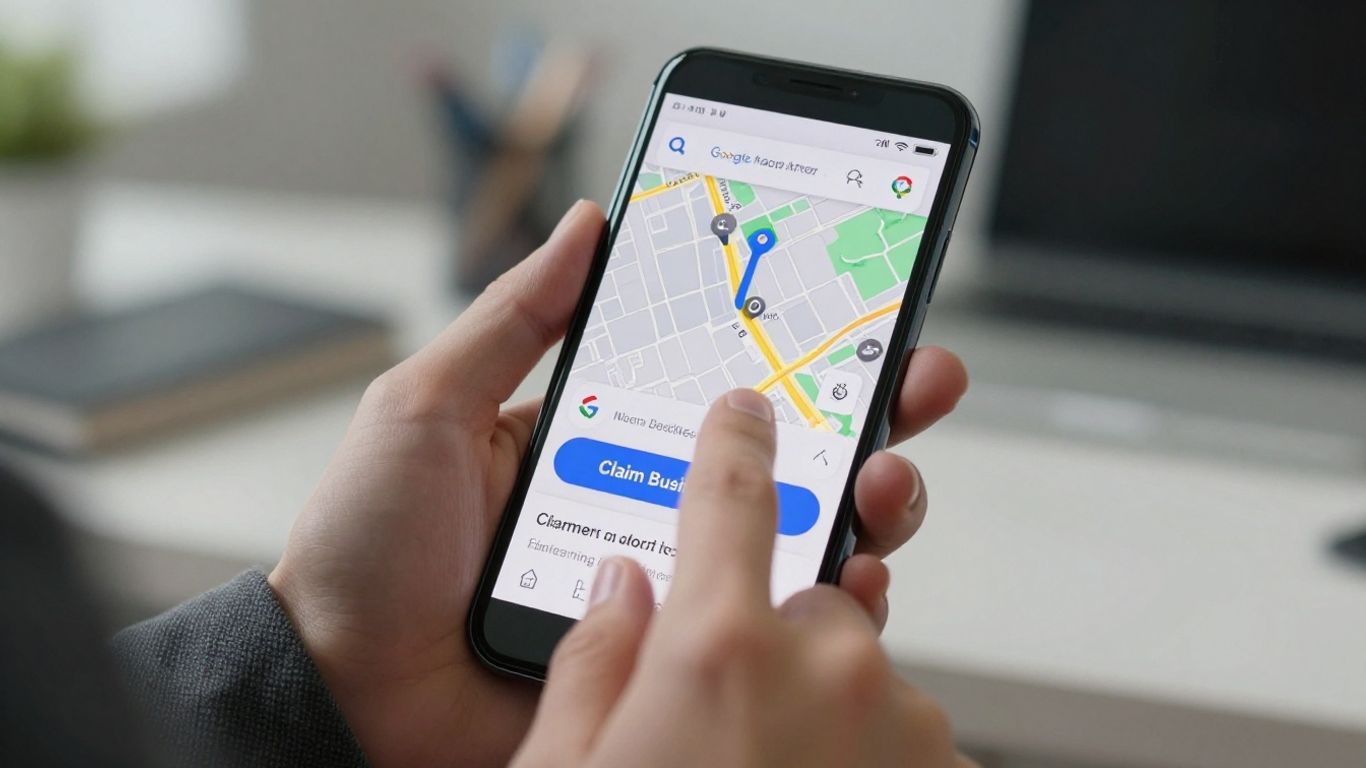
Okay, so you’ve found your business on Google, or maybe you’re creating it from scratch. Awesome! But before Google lets you take the reins and start sprucing things up, they need to know you’re legit. Think of it like getting the keys to your new house – the bank needs to make sure it’s really you. This verification step is super important. It stops random people from claiming businesses they have no connection to. We’ve seen it happen, and it’s a headache to sort out. Google wants to make sure the right person is in charge of their business’s online presence.
There are a few ways Google lets you prove you’re the real deal. The method you get might depend on your business type and location. It’s not always the most exciting part of the process, but it’s a necessary hurdle. We’ve helped many businesses, like Web Maintenance US in Orlando, FL on Google Maps, get through this part smoothly.
The Mail Card Method: A Classic for a Reason
This is the most common way Google verifies businesses. It’s old-school, but it works. Google will send a postcard with a special code to the business address you’ve listed. You just wait for that postcard to arrive (it usually takes a few days to a couple of weeks), then head back to your Google Business Profile and enter the code. Easy peasy, right? Just make sure your business address is accurate and that mail is being delivered there reliably. If you’re working with a service like Web Maintenance US, they can help ensure this address is spot-on.
Phone Verification: The Speedy Gonzales Option
Sometimes, Google offers a quicker way: phone verification. If this option is available for your business, Google will call the phone number listed on your profile. You’ll get an automated message with a verification code. You just punch that code into your Google Business Profile, and boom – you’re verified! This is great if you need to get your profile up and running fast. It’s a good idea to have a dedicated business phone line for this.
Video Verification: Showing Off Your Awesome Business
For some businesses, especially if the other methods aren’t available or don’t work out, Google might suggest video verification. This involves recording a short video of yourself and your business location. You might need to show your business signage, your physical address, and maybe even some equipment or inventory. It’s like a quick virtual tour for Google. This method helps Google confirm you’re operating at the address you’ve provided. It sounds a bit much, but it’s a solid way to prove your business is real and active.
No matter which method Google throws at you, the key is patience and accuracy. Double-check all the information you provide. Getting verified is the gateway to making your business shine online.
Sprucing Up Your Profile: Making It Shine Like a Diamond
Okay, so you’ve claimed your business and verified it – high five! But honestly, just having a profile isn’t enough. Think of it like showing up to a party in sweatpants. You’re there, but you’re not exactly making the best impression. We need to make your Google Business Profile (GBP) pop! This is where we make it look good, so good that potential customers can’t help but click. It’s like giving your business a digital makeover, and trust us, it’s worth the effort. Plus, keeping your profile looking sharp is a big part of what we do at Web Maintenance US to help businesses like yours succeed online.
Photos That Make People Drool (Over Your Business)
Let’s be real, people eat with their eyes first, and that applies to businesses too. Blurry, dark, or just plain boring photos? Hard pass. We want images that make someone stop scrolling and think, "Ooh, I need that!" or "That looks like fun!"
- High-quality shots: Use good lighting. Natural light is your best friend. If you’re a restaurant, show off those delicious dishes. If you’re a shop, display your coolest products. If you’re a service provider, show your team in action or your workspace looking clean and professional.
- Variety is key: Don’t just post one picture. Show the outside of your building so people can find you easily. Show the inside so they know what to expect. Show your products, your services, your happy customers (with their permission, of course!), and even your team. It adds personality!
- Keep it current: Update photos regularly. If you’ve renovated, gotten new equipment, or have a seasonal special, get a new photo up there.
Writing a Description That Sells Without Selling
Your business description is your elevator pitch. You’ve got a limited amount of space to tell people why they should choose you. Forget the stiff, corporate speak. We want something that sounds like you, but also gets the point across clearly and concisely.
Think about what makes your business special. Are you the friendliest place in town? Do you offer a unique product? Is your service lightning-fast? Weave that into your description. Use keywords naturally – if you’re a "bakery in Springfield," mention that! But don’t stuff it in there like a Thanksgiving turkey.
Your description should answer the customer’s unspoken question: "Why should I pick you over everyone else?" Make it compelling, make it clear, and make it you.
Adding Your Services: Don’t Be Shy!
This is where you list out exactly what you do. If you’re a plumber, list "leak repair," "water heater installation," "drain cleaning." If you’re a coffee shop, list "espresso," "iced lattes," "pastries," "free Wi-Fi." Be specific!
- Group similar services: If you have a lot, organize them into categories. This makes it easier for people to scan.
- Use clear names: Avoid internal jargon. Use terms your customers would actually search for.
- Add prices (if applicable): For some businesses, adding a price range can be helpful. It sets expectations right away.
Remember, the more information you provide, the easier it is for customers to understand what you offer and decide if you’re the right fit. It’s all about making it simple for them.
Keeping It Fresh: The Secret Sauce to Google Business Profile Success
So, you’ve claimed your spot on Google, and it looks pretty snazzy. But here’s the thing: a Google Business Profile isn’t a ‘set it and forget it’ kind of deal. Think of it like a garden. If you just plant the seeds and walk away, you’ll end up with weeds and a sad-looking patch. We need to water it, pull the weeds, and give it some sunshine! This is where keeping things fresh comes in, and honestly, it’s not that hard once you get the hang of it. It’s the secret sauce that keeps customers coming back and Google showing you off to more people. Plus, keeping up with your profile is a big part of what we do at Web Maintenance US to help businesses like yours thrive online.
Reviews: The Good, The Bad, and The Hilarious
Reviews are like the heartbeat of your online reputation. People love reading them, and they really trust them. So, what do we do? We encourage them! Ask happy customers if they’d mind leaving a review. A simple "Hey, if you enjoyed your experience, a quick review on Google would mean the world to us!" can go a long way. And when those reviews roll in, good or bad, you’ve got to respond. For the good ones, a simple "Thanks so much! Glad you enjoyed X" is perfect. For the not-so-great ones? Take a deep breath. Respond politely, acknowledge their experience, and offer to take the conversation offline to fix it. Never argue with a reviewer online. It looks bad for everyone.
Posting Updates: Your Business’s Daily Diary
Google Posts are like mini-ads or announcements right on your profile. You can share new products, special offers, upcoming events, or even just a fun fact about your business. We like to post at least once a week, sometimes more if there’s something exciting happening. It shows Google that your business is active and engaged. Plus, it gives people a reason to click on your profile again and again.
Here’s a quick idea list:
- Announce a new service or product.
- Share a limited-time discount or sale.
- Highlight a customer success story (with their permission, of course!).
- Post about a local event you’re participating in.
- Share a "behind-the-scenes" look at your business.
Answering Questions: Be the Helpful Hero
Your Google Business Profile has a Q&A section. Sometimes, customers ask questions here directly. Other times, people might ask a question that someone else has already answered. You can even add your own frequently asked questions and answers! This is a goldmine for providing quick info. Think about what people always ask you when they call or visit. Put those answers right there. It saves everyone time and makes you look super helpful.
This section is your chance to be proactive. Don’t wait for questions to pile up. Think like a customer and provide the information they’re likely looking for before they even have to ask. It builds trust and shows you’re on top of things.
Keeping your Google Business Profile active and updated is a continuous process, but it’s one of the most effective ways to connect with local customers. It’s all about showing up, being helpful, and letting your personality shine through. And if it all feels like a bit much, remember that services like Web Maintenance US are here to help manage these details so you can focus on running your business.
Advanced Tactics: Level Up Your Local SEO Game
Alright, so you’ve got your Google Business Profile looking spiffy. That’s awesome! But we’re not done yet. Think of this as the "pro tips" section, where we really start to make your business profile work for you. It’s about going beyond the basics and really digging into what makes your local SEO sing. We’re talking about making sure people find you when they’re looking for exactly what you offer, right in your neighborhood.
Leveraging Google Posts Like a Pro
Google Posts are like mini-ads or updates that show up right in your search results. They’re a fantastic way to share what’s new, special offers, or just general news about your business. Don’t let this prime real estate go to waste! Think of them as little billboards that people see before they even click on your profile. We use them all the time for our clients at Web Maintenance US to announce sales or new products, and the engagement is usually pretty good.
Here’s a quick rundown on what kind of posts work well:
- What’s New: Announce new services, products, or even team members.
- Offers: Promote discounts, coupons, or limited-time deals. Make sure the dates are clear!
- Events: If you’re hosting a workshop, sale, or community event, let people know.
- Updates: Share general news, like holiday hours or a recent achievement.
Understanding Your Insights: What’s Working?
Your Google Business Profile dashboard has a whole section called "Insights." This is where Google tells you how people are finding you and interacting with your listing. It’s like getting a report card for your online presence. You can see things like how many people searched for your business directly versus how many found you through a general search. You can also see how many people called you, visited your website, or asked for directions – all directly from your profile.
Pay attention to these numbers. They tell a story about what’s attracting customers. Are people clicking your website link a lot? Maybe your website needs a little TLC, or perhaps it’s doing great! Are more people calling than visiting your site? That might mean your phone number is super prominent and easy to find, which is good, but maybe you could add more compelling info to your website.
The Power of Q&A: Anticipate and Answer
This section is often overlooked, but it’s gold. People can ask questions directly on your Google Business Profile, and you can answer them. This is your chance to be proactive and helpful. Think about the questions you get asked all the time. What are common concerns or points of confusion for your customers? Get those questions and answers up there!
This Q&A section is a direct line to customer curiosity. Addressing common questions here not only helps the person asking but also educates everyone else who sees your profile. It saves them a phone call and shows you’re on top of things.
We often pre-populate this section with frequently asked questions. For example, if you’re a bakery, you might add a question like "Do you offer gluten-free options?" and then answer it with "Yes, we have a selection of delicious gluten-free pastries available daily!" It’s a simple way to provide information and show you care. Keeping this section active, much like keeping your website updated through services like Web Maintenance US, shows Google and potential customers that your business is active and engaged.
Want to get your local business noticed online? We’ve got some awesome tricks to help you climb the search results. Ready to make your business the talk of the town? Visit our website today to learn more!
You’ve Got This!
So there you have it! Claiming your business on Google might seem like a big task, but we just walked through it step-by-step, right? It’s not rocket science, just a few clicks and some info to fill in. Think of it like setting up your shop’s front door online. Once it’s done, customers can find you way easier. If you get stuck or just want to make sure it’s all perfect, remember, Web Maintenance US is here to help. We love making sure businesses like yours shine online. Give us a shout if you need anything!
Frequently Asked Questions
Why should we bother claiming our business on Google?
Think of it like setting up a shop on the busiest street! When people search for services like yours, claiming your spot on Google means you show up. It’s your digital storefront, making it super easy for customers to find you, see your hours, and even get directions. Plus, it stops competitors from looking like the only option. We at Web Maintenance US know how important this first digital handshake is for your business.
What exactly is a Google Business Profile?
It’s basically your business’s free online listing on Google Search and Maps. It’s where you can share all the important stuff: your address, phone number, website (like ours at webmaintenanceus.com!), opening hours, photos, and even what services you offer. It’s your chance to make a great first impression and let everyone know you’re open for business.
How do we actually claim our business listing?
The first step is searching Google for your business name. If it pops up, you’ll see an option to ‘Claim this business’ or ‘Own this business.’ If it doesn’t show up, you’ll need to create a new profile from scratch. It’s a straightforward process, and we can guide you through it to ensure it’s done right, setting you up for success.
What’s this ‘verification’ thing all about?
Google needs to make sure you’re the real deal and actually own the business you’re listing. The most common way is by postcard, where they mail a code to your business address. Sometimes, they might offer phone or even video verification if it’s available for your business. It’s a quick step to secure your profile.
How can we make our Google Business Profile look amazing?
Great photos are key – show off your best work or your welcoming storefront! Write a clear, catchy description that tells people what makes you special. Don’t forget to list all the services you provide. The more information you give, the easier it is for customers to choose you. We help businesses like yours shine online.
Is claiming our profile a one-time thing?
Nope! To keep your profile working hard for you, you’ve got to keep it updated. Respond to customer reviews (the good and the not-so-good!), share news with Google Posts, and answer any questions people ask. Think of it as keeping your digital storefront tidy and inviting. Web Maintenance US can help you manage this ongoing effort.