Mastering Your Online Presence: A Comprehensive Guide to Manage Google My Business
Hey everyone! So, we’ve been thinking a lot about how important it is for businesses to be seen online. You know, when people search for stuff, you want them to find *you*. A big part of that is Google My Business. It’s like your digital storefront, and honestly, getting it right can make a huge difference. We’re going to walk through how we at Web Maintenance US like to manage Google My Business profiles to make sure businesses shine. It’s not as complicated as it sounds, and we think you’ll find it pretty helpful.
Key Takeaways
- Making sure your Google My Business profile is set up right is key to being found online. We help businesses manage Google My Business so they stand out.
- Your business details, like name and services, need to be clear and accurate. This helps customers know what you do and where you do it.
- Showing off your business with good photos and videos makes a big impression. It’s how people get a feel for what you offer.
- Responding to reviews and questions builds trust. We think handling feedback well is super important for customer relations.
- Keeping your profile updated with posts, offers, and products shows you’re active. This helps keep customers engaged and informed.
Unlocking Your Digital Doorstep: The Magic of Google My Business
Alright, let’s talk about your business’s online front door. You know, that little spot on Google that pops up when someone searches for what you do? That’s Google My Business (GMB), and honestly, it’s kind of a big deal. Think of it as your business’s digital handshake, its first impression, and sometimes, its entire online storefront. If you’re not paying attention to it, you’re basically leaving money on the table, and nobody wants that.
Why Your Business Needs a Google My Business Glow-Up
So, why all the fuss about GMB? Well, it’s simple. When people search for businesses like yours, Google is usually their first stop. Having a well-managed GMB profile means you’re showing up when and where it counts. It’s your chance to grab attention and tell people why they should choose you. It’s not just about being listed; it’s about being found, looking good, and giving potential customers all the info they need, right there on the search results page. We’ve seen firsthand how a little attention to a GMB profile can make a difference, and it’s something we often help clients with as part of their web maintenance. It’s a quick win that can lead to real customers.
Setting Up Shop: Your First Steps to Google My Business Fame
Getting started is easier than you might think. First things first, you’ll need a Google account. If you already use Gmail or Google Drive, you’re halfway there. Head over to the Google My Business website and hit that "Manage now" button. You’ll be prompted to search for your business name. If it’s already there (maybe someone else set it up, or it’s an old listing), you can claim it. If not, you’ll create a new one. This is where you’ll start adding the basics: your business name, your address (if you have a physical location), your phone number, and your website. Don’t rush this part; accuracy is key!
Making It Official: Verifying Your Business Like a Boss
Now, Google wants to make sure you’re actually you and that your business is legit. This is where verification comes in. The most common method is by postcard. Google will mail a postcard with a verification code to the business address you provided. It usually takes a week or two to arrive. Once you get it, you log back into your GMB account and enter the code. There are other methods too, like phone verification or email, depending on your business type and location. It might seem like a hassle, but this step is super important for building trust and showing up in local searches. Without verification, your listing might not be fully visible or usable.
Here’s a quick rundown of verification methods:
- Postcard: The most common, sent via mail.
- Phone: A code is called or texted to your business number.
- Email: An email with a code is sent to your business email address.
- Instant Verification: If your website is already verified with Google Search Console.
Once verified, you’ve basically earned your stripes. You’ve got the green light to start making your GMB profile shine and attract those customers.
Crafting Your Compelling Online Persona
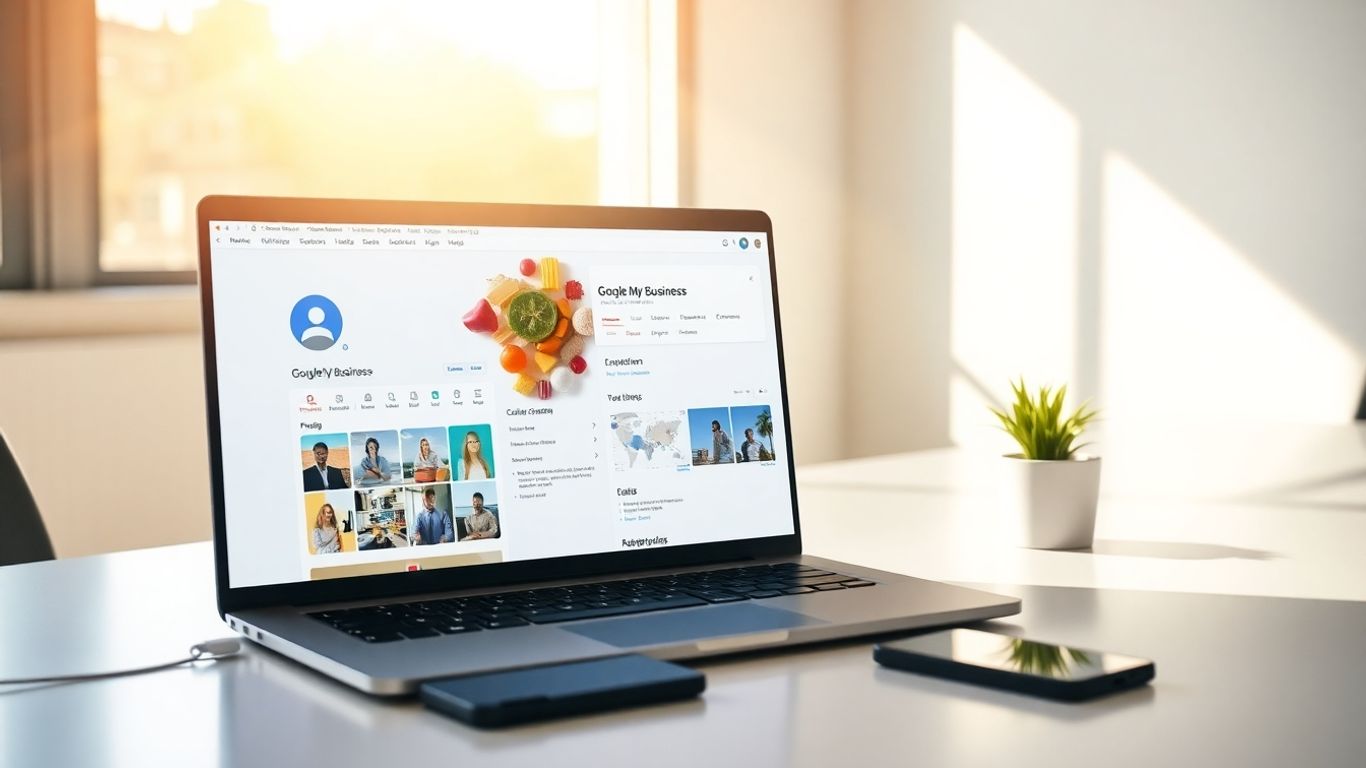
Alright, let’s talk about making your business look good online. It’s not just about having a listing; it’s about making that listing sing. Think of your Google My Business profile as your digital storefront. We want it to be inviting, informative, and totally you. This is where we start building that first impression, and honestly, it’s pretty important. If you’re feeling overwhelmed, remember that services like Web Maintenance US can help keep things looking sharp.
Your Business Name: More Than Just a Moniker
This might seem obvious, but your business name is the first thing people see. Make sure it’s clear, accurate, and consistent with how you present yourself everywhere else. No funny business here – use your actual business name. Trying to trick people with keywords in your name? Google isn’t a fan, and neither are we. Keep it simple and real.
Categories: Picking the Perfect Pigeonhole
Choosing the right category is like putting your business in the right neighborhood. It helps Google understand what you do and show your listing to the right people. Don’t just pick the first thing that comes to mind. Think about what your customers would search for. Are you a "Coffee Shop" or a "Cafe"? A "Plumber" or a "Home Services" company? Get specific!
- Primary Category: This is your main gig. Pick the one that best describes your core business.
- Secondary Categories: These are for your side hustles or related services. They give Google more info.
- Be Honest: Don’t list categories you don’t actually serve. It’s just misleading.
Service Areas: Where Your Magic Happens
This part is key if you travel to your customers. You need to tell Google where you operate. Are you serving just your town, or a whole county? Be realistic here. Listing too many areas can actually hurt your visibility if you can’t serve them well. We want to attract customers you can actually help!
Listing your service areas accurately helps Google show your business to people who are actually nearby and looking for what you offer. It’s a win-win.
Getting these details right from the start makes a huge difference. It’s the foundation for everything else on your Google My Business profile. We’re building a solid online home for your business, and these steps are the first bricks.
Showcasing Your Awesomeness: Photos, Videos, and More!

Alright, let’s talk about making your Google My Business profile pop! Think of it as your digital storefront window. If it’s dusty and bare, people might just walk on by. We want them to stop, stare, and come on in, right? That’s where great visuals come in. We’re talking photos, videos, and even those cool virtual tours.
Picture This: Making Your Business Visually Delicious
Your photos are the first handshake. Good photos make people want to learn more. Blurry, dark, or just plain boring pictures? Nope. We need clear, bright shots that show off what you do best. Think about:
- Your Products: If you sell stuff, show it off! High-quality shots of your best items can really grab attention.
- Your Space: Is your shop cozy? Your office modern? Give people a peek inside. It builds trust and makes your place feel more real.
- Your Team: People connect with people. A friendly photo of your team can make a big difference.
- Action Shots: Show your service in action! A baker decorating a cake, a mechanic fixing a car – these tell a story.
Remember, consistency is key. Try to keep a similar style or filter across your photos so your profile looks cohesive. If this feels like a lot to manage, especially alongside running your business, services like Web Maintenance US can help keep your visuals looking sharp.
Video Vibes: Bringing Your Business to Life
Photos are great, but video? Video is a whole other level. It’s like giving someone a mini-tour or a quick demo right from their search results. Short, engaging videos can:
- Introduce your business and your team.
- Showcase a product or service in detail.
- Share customer testimonials (with their permission, of course!).
- Give a behind-the-scenes look at how things are made or done.
Keep them short and sweet – think 30 seconds to a minute. People have short attention spans online, and we want to keep them watching!
Virtual Tours: Letting Customers Wander In
This is where things get really cool. A virtual tour lets potential customers ‘walk’ through your business from their computer or phone. It’s like an open house, 24/7. This is especially great for:
- Restaurants: Let people see the ambiance before they book.
- Retail Stores: Show off your layout and inventory.
- Service Providers (like salons or gyms): Give a feel for the space and equipment.
It’s a big commitment to set up, but the payoff in customer confidence and engagement can be huge. It really makes your Google My Business listing feel like a destination, not just an address.
The Art of Conversation: Reviews and Q&A
Alright, let’s talk about the noisy, sometimes messy, but totally vital part of your Google My Business profile: the conversations. We’re talking about reviews and those burning questions customers might have. Think of this section as your business’s digital front porch – it’s where people get a feel for who you are and how you treat folks.
Review Roundup: Turning Feedback into Fanfare
Reviews are like gold, seriously. They’re not just stars on a screen; they’re real opinions from real people who’ve interacted with your business. Good reviews? They’re your cheerleaders, shouting from the rooftops about how awesome you are. Bad reviews? Well, they’re a chance to show everyone how you handle things when they don’t go perfectly. Responding to every single review, good or bad, is a non-negotiable part of managing your online presence. It shows you’re engaged and you care.
When a happy customer leaves a glowing review, give them a shout-out! A simple "Thanks so much for the kind words, [Customer Name]! We loved having you!" goes a long way. For the not-so-great reviews, take a deep breath. Acknowledge their experience, apologize if necessary, and offer to take the conversation offline. Something like, "We’re really sorry to hear about your experience, [Customer Name]. That’s not the standard we aim for. Please give us a call at [Phone Number] so we can discuss this further" can work wonders. It shows you’re proactive and want to make things right. This kind of attention to detail is something we at Web Maintenance US often help businesses with, making sure their digital voice is always heard clearly.
Answering Questions: Being the Go-To Guru
The Q&A section on your Google My Business profile is a direct line to potential customers. People are curious, and they want answers fast. If someone asks about your hours, your return policy, or if you have gluten-free options, jump on it! The sooner you answer, the better. Plus, once an answer is posted, it stays there, becoming a helpful resource for anyone else with the same question. You can even get a head start by posting some frequently asked questions yourself. Think about what people always ask when they call or visit.
Here are some ideas for questions you could pre-emptively answer:
- What are your business hours on holidays?
- Do you offer gift wrapping?
- What’s your policy on bringing pets into the store?
- Can I book an appointment online?
Handling the Hecklers: When Things Get a Little Spicy
Okay, so not everyone is going to be sunshine and rainbows. Sometimes, you’ll get reviews or questions that are just plain unfair, or maybe even a little aggressive. It happens. The key here is to stay calm and professional. Don’t get into a public argument. If a review is factually incorrect or violates Google’s policies (like containing hate speech or spam), you can flag it for review. But for most situations, a polite, brief, and professional response is your best bet. Remember, your response isn’t just for the person who left the comment; it’s for everyone else reading it. It’s your chance to show your business’s character under pressure.
When you’re dealing with tough feedback, remember that your response is a public statement about your business’s values. Keep it factual, polite, and focused on resolution, not on winning an argument. This approach builds trust even when things get a bit heated.
Managing these conversations takes time, but it’s a huge part of building a strong online reputation. It’s about showing up, being helpful, and handling every interaction with grace. It’s a marathon, not a sprint, and consistent effort here pays off big time.
Keeping Your Listing Fresh and Fabulous
Alright, so you’ve got your Google My Business profile looking spiffy. That’s awesome! But here’s the thing: a Google My Business listing isn’t a ‘set it and forget it’ kind of deal. Think of it like tending a garden; you gotta water it, pull the weeds, and maybe add some fresh mulch now and then. If you don’t keep it updated, it can start to look a bit sad, and nobody wants a sad listing, right? We’ve found that consistent updates really make a difference in how customers see us. It’s all about showing that your business is active and cares about what’s happening.
Posting Power: Sharing Your Latest Shenanigans
This is where you get to be a bit of a show-off. Google Posts are like mini social media updates right on your business listing. You can share news, announce new products, or just say hello. Don’t be shy; use them to tell your story! We like to post about our weekly specials, any cool events we’re hosting, or even just a behind-the-scenes peek at what we’re up to. It keeps people engaged and gives them a reason to click through to your website or give you a call.
Offers and Events: Creating Buzzworthy Happenings
Got a sale coming up? Hosting a workshop? This is your chance to shout it from the digital rooftops! Using the ‘Offers’ and ‘Events’ features in Google My Business is a smart way to draw attention. You can add details like dates, times, descriptions, and even a link to book tickets or claim the offer. It’s a simple way to create a bit of excitement and urgency, encouraging folks to act fast.
Product Showcase: Letting Your Goods Shine
If you sell products, you absolutely have to use the product catalog feature. It’s like having a mini-storefront right on your Google listing. You can upload photos, add descriptions, and even include prices. This is super helpful for customers who are just starting their search and want to see what you have to offer before they even visit. We’ve seen a noticeable uptick in inquiries about specific items since we started adding our products regularly. It makes it so much easier for people to find exactly what they’re looking for.
Keeping your Google My Business profile current isn’t just busywork; it’s a strategic move. It tells Google you’re an active, relevant business, which can help you rank better in local searches. Plus, it gives potential customers the most up-to-date information, making their experience with your brand a positive one from the very first click. Think of it as part of your overall web maintenance strategy, like making sure your website is running smoothly. We always recommend checking in on your GMB at least once a week.
Here are a few things we make sure to do:
- Update our hours if they change for holidays or special events.
- Add new photos of our products or services at least once a month.
- Respond to all new reviews and Q&A within 24-48 hours.
- Post at least one update (news, offer, event) per week.
Decoding the Data: Insights to Fuel Your Growth
Alright, let’s talk numbers. Your Google My Business (GMB) profile isn’t just a digital billboard; it’s a goldmine of information about who’s checking you out and how they’re finding you. Think of it as your business’s personal fan club analytics. We’re going to look at the data GMB gives us and figure out what it all means. This is where we stop guessing and start knowing.
Understanding Your Audience: Who’s Knocking?
Ever wonder who’s actually looking for businesses like yours? GMB spills the beans. You can see how many people searched for your business directly (they knew your name!) versus how many found you through discovery searches (they were looking for something you offer, but maybe didn’t know you existed yet). It also shows you the general age, gender, and even the interests of the people looking at your profile. Pretty neat, right? This helps us tailor our messages and even our services.
Performance Pointers: What’s Working and What’s Not
This is where we get down to brass tacks. GMB tells us how many people viewed your profile, how many clicked on your website, how many asked for directions, and how many called you directly from the listing. We can track these numbers over time. Are more people calling this month? Awesome! Did website clicks dip? Hmm, maybe we need to look at what’s on our website or how we’re describing our services on GMB.
Here’s a quick look at what you can track:
- Profile Views: How many times your listing popped up.
- Website Clicks: People interested enough to check out your site.
- Direction Requests: Ready to visit in person!
- Phone Calls: Direct interest, wanting to chat.
- Photo Views: How much attention your images are getting.
Making Smart Moves: Using Data to Dominate
So, you’ve got the data. Now what? We use it to make smarter decisions. If lots of people are asking for directions to your store, maybe you need to make sure your hours are always up-to-date and that your signage is clear. If phone calls are through the roof, perhaps you need to ensure your team is ready to answer questions efficiently. It’s all about responding to what the data is telling us. We’ve found that keeping up with these insights, much like regular web maintenance, helps keep our GMB profile performing at its best. It’s not just about setting it and forgetting it; it’s about actively using the information to improve how customers find and interact with us.
The numbers don’t lie. They show us what’s working and what’s not, helping us focus our energy where it counts the most. Don’t just look at the data; use it to make your business shine brighter online.
By paying attention to these insights, we can tweak our GMB strategy, making sure we’re attracting the right customers and giving them the best possible experience from the very first click.
Advanced Tactics to Manage Google My Business Like a Pro
Alright, so you’ve got your Google My Business profile looking sharp, reviews are rolling in, and you’re feeling pretty good about it. But guess what? We can take this to the next level. Think of your GMB profile not just as a listing, but as a dynamic tool that can really work for your business. It’s about making it super easy for people to connect with you and get what they need, fast. This is where the real magic happens, and honestly, it’s not as scary as it sounds. We’re talking about turning casual browsers into loyal customers.
Messaging Magic: Connecting Instantly with Customers
This feature is a game-changer. When customers have a quick question, they don’t always want to pick up the phone. Enabling messaging lets them shoot you a text right from your Google listing. It’s like having a virtual assistant available 24/7, answering those common queries. Think about it: someone sees your business on Google Maps, has a simple question about hours or a specific service, and BAM! They can ask you directly. Responding quickly is key here. We’ve found that businesses that reply within a few hours get way more engagement. It shows you’re attentive and ready to help. If you’re swamped, consider setting up some auto-replies for common questions, but always follow up personally. Keeping this channel open is a big part of good web maintenance.
Booking Bonanza: Streamlining Appointments
If your business involves appointments – think salons, mechanics, consultants – then the booking feature is your new best friend. Instead of customers having to call or email to schedule, they can do it right through your Google My Business profile. This cuts down on back-and-forth and reduces the chance of missed calls or emails. You can integrate with third-party booking systems or use Google’s own booking tools. Setting this up means less time spent on admin and more time focused on your actual work. It’s all about making the customer journey as smooth as possible. A clunky booking process can lose you business, plain and simple.
Leveraging Google Posts for Maximum Impact
We’ve touched on posts before, but let’s get serious about them. Google Posts aren’t just for announcing sales; they’re a powerful way to keep your profile fresh and engaging. Think of them as mini-ads or updates that show up directly in search results. You can use them to:
- Announce new products or services.
- Share special offers and discounts.
- Highlight upcoming events.
- Link to blog posts or important pages on your website.
- Share customer testimonials (with permission, of course!).
The more you use posts, the more Google sees your profile as active and relevant. This can actually help your ranking. Try to post at least once a week, and vary the content. Don’t just push sales; share helpful tips, behind-the-scenes peeks, or company news. It builds a connection with potential customers before they even step foot in your door or visit your website. It’s a simple but effective part of keeping your online presence sharp, and something we always keep an eye on during our web maintenance checks.
Want to make your Google My Business profile shine? We’ve got some awesome tricks to help you manage it like a pro. These tips are super helpful for getting your business noticed online. Ready to boost your local search game? Visit our website today to learn more and get started!
So, What’s the Takeaway?
Alright folks, we’ve gone through the whole shebang of making your Google My Business profile shine. It might seem like a lot at first, kind of like trying to assemble IKEA furniture without the instructions, but trust us, it’s worth it. Keeping your info fresh and your reviews in check is like giving your business a constant little tune-up. Think of it as your digital storefront – you want it looking spick and span, right? If all this sounds like a bit too much to juggle, or you just want to make sure it’s done right, that’s where we at Web Maintenance US come in. We’re here in Orlando, ready to help you get your online presence looking its best. Don’t let your GMB profile gather dust; let’s make it work for you. Give us a shout!
Frequently Asked Questions
Why should we bother with Google My Business?
Think of Google My Business (GMB) as your business’s online storefront on Google Search and Maps. It’s super important because when people search for businesses like yours, GMB helps you show up! It’s like handing out digital flyers that tell folks where you are, what you do, and how to reach you. At Web Maintenance US, we know that a well-managed GMB profile can bring in tons of new customers. It’s a free tool that really boosts your visibility, making it easier for people to find and choose you over the competition. Want to see how it works? Check out this example: [https://share.google/tGApbjwkv2nBwiJJi](https://share.google/tGApbjwkv2nBwiJJi).
How do we get started with Google My Business?
Getting started is pretty straightforward! First, you’ll need a Google account. Then, head over to the Google My Business website and click ‘Manage now.’ You’ll search for your business name and address. If it’s not there, you can create a new listing. The key is to fill out all the info accurately – your business name, address, phone number, website, and hours. We at Web Maintenance US can help guide you through this whole process to make sure it’s done right from the start.
Is it hard to verify our business on Google My Business?
Verification is a crucial step to prove that your business is legit and located where you say it is. Usually, Google sends a postcard with a verification code to your business address. You just pop that code into your GMB account. Sometimes, there are other ways to verify, like by phone or email, depending on your business type. It might seem a little tricky, but it’s important for building trust with Google and customers. We’ve helped many businesses navigate this, so don’t sweat it!
What kind of info should we put on our Google My Business profile?
You want to make your profile as complete and appealing as possible! Include your business name, accurate address, phone number, and website link. Crucially, pick the right categories that describe what you do – this helps Google understand your business. Add your operating hours, and don’t forget to write a compelling description that highlights what makes your business special. Photos and videos are a must too! Think of it as your digital business card, but way cooler. Need help making yours shine? Web Maintenance US is here for you: [https://webmaintenanceus.com/](https://webmaintenanceus.com/).
How often should we update our Google My Business listing?
Keeping your GMB listing fresh is key! We recommend updating it regularly, maybe weekly or at least monthly. Post updates about new services, special offers, or events. Respond to customer reviews promptly – both the good and the not-so-good ones. Adding new photos or videos also keeps things interesting. The more active you are, the more Google likes your listing, and the more likely customers are to engage with it. It shows you’re an active and caring business.
Can Google My Business help us get more customers?
Absolutely! A well-optimized GMB profile is a powerful customer magnet. When people search for products or services you offer nearby, your listing can pop up right at the top of Google Search or on Google Maps. This makes it super easy for them to find your contact info, see your hours, read reviews, and even get directions. It’s like having a sign that’s always on and always visible. We’ve seen amazing results for our clients through effective GMB management. Let Web Maintenance US help you attract more local customers: [https://webmaintenanceus.com/contact/](https://webmaintenanceus.com/contact/).